How to Modernize Your Product Team’s Workflow When a Major Design Tool Changes
Design · 8 min read
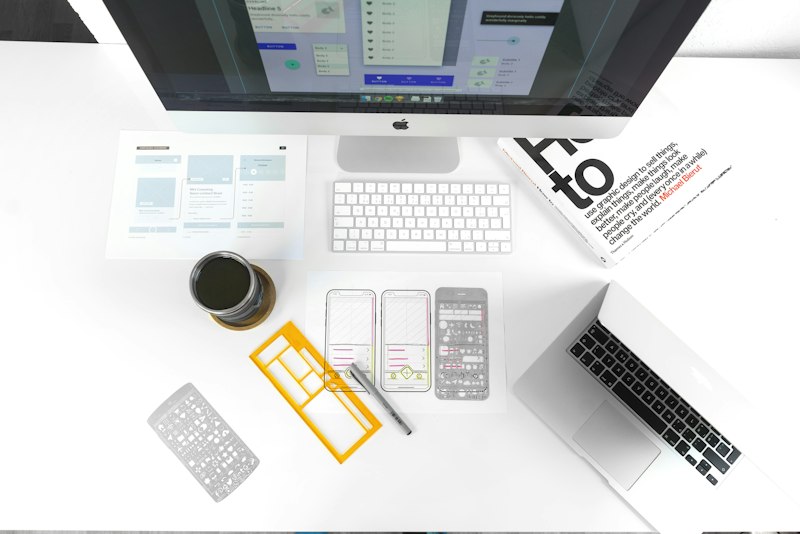
Design tooling changes can be disruptive or liberating depending on how a product team responds. From our work at SatisfiedUser™, the difference between chaos and momentum usually comes down to planning, communication, and a few practical rules that minimize risk while maximizing the value of new capabilities.
Start with an impact audit, not a feature wishlist. Assemble a compact cross-disciplinary task force—design leads, product managers, engineering reps, and a designer or two who are heavy users of the tool. Their first job is to map what will break, what will improve, and what’s optional. Look at the size and complexity of your component libraries, number of active prototypes, handoff scripts and annotations, and integrations with engineering workflows. The goal is a prioritized list of real-world impacts, not a catalog of every new button in the UI.
Define a migration strategy that protects active work. Avoid a big-bang switch for active sprints. Instead, create a phased approach: a pilot project, a freeze window for critical releases, and a broader roll-out. The pilot should be a non-mission-critical product area but realistic in complexity so you learn about edge cases. Treat the pilot like an experiment—document outcomes, time spent, and issues encountered.
Invest early in mapping your design system to the new tool behaviors. Updates often change how components, tokens, and constraints are represented. Prioritize translating your design system assets first so teams can reuse them rather than rebuilding ad hoc. During migration, maintain a “compatibility layer” in the system files: aliases, legacy tokens, or temporary components that mirror old behavior while the team transitions. This reduces friction for designers and engineers who depend on predictable outputs from the system.
Create conversion standards and tidy-up rules. When files are migrated automatically or by hand, inconsistencies accumulate. Set rules for what gets migrated verbatim, what should be refactored, and which legacy artifacts should be archived. For example, you might decide that deprecated components should not be duplicated in the new system; instead, they get a migration ticket with a target replacement. Make these decisions visible in a migration playbook that lives with your design system documentation.
Define who owns plugin and integration governance. New tooling updates often expand plugin APIs and integration points. Without governance, teams install plugins spontaneously and create fragile dependencies. Assign an owner—this could be a rotating role on the design ops team—who evaluates plugin risk, coordinates necessary approvals, and maintains an approved plugin list. For integrations that feed into engineering pipelines, coordinate with platform engineers to validate stability and security.
Be deliberate about developer handoff. Changes in prototyping and handoff tools often alter the artifacts engineers rely on: CSS exports, asset naming, or interaction specs. Create a mapping document that shows how the new export formats correspond to existing build processes. If the tool improves auto-generated code snippets, test them in a staging environment and validate whether they are a helpful starting point or a risky source of drift from production patterns.
Prioritize training and learning time. Even experienced designers need time to adapt muscle memory. Schedule focused workshops for core teams and create short learning paths for occasional users. Learning paths should include: how to use the updated design system, how to create maintainable components, and how to export or share prototypes for developer use. Pair senior designers with engineers in hands-on sessions so both sides learn to trust the new artifacts.
Embed migration checks into your sprint cadence. Add simple acceptance criteria that verify migrated designs are consistent with the design system, that prototypes behave as required, and that handoff artifacts produce expected engineering outputs. Use a lightweight checklist rather than heavy process. Frequent, small verifications are far less risky than waiting to discover issues at code freeze.
Plan for performance and file management. Tool updates sometimes increase file size or change how assets are embedded. Audit large files and cut down unnecessary layers, oversized raster images, and duplicated components. Establish clear conventions for when to use external asset repositories versus embedding files in design documents. Small changes in file hygiene save hours of load time and reduce merge conflicts in collaborative documents.
Measure practical success, not vanity metrics. Instead of counting features adopted, track things that matter: average time from final design to developer-ready spec, number of design regressions found in QA, and developer satisfaction with handoff artifacts. Combine these with qualitative feedback from designers and engineers to find persistent pain points.
Have a rollback and support plan. If the update introduces unacceptable risk, be ready to revert critical workflows or reassign work to legacy files for a short period. Keep a public log of migration decisions and an easily accessible support channel where people can report blocker issues. Quick triage and transparent updates are better than silent bottlenecks.
Tooling changes are inevitable. The teams that handle them well treat migration like product work: hypothesis, experiments, learnings, and iteration. When you focus on protecting delivery, investing in the design system, and enabling cross-functional learning, updates become opportunities to strengthen collaboration rather than sources of disruption. At SatisfiedUser™, we see the same pattern: careful migration planning turns an awkward transition into a chance to clean up technical debt and improve handoff fidelity. That’s the real payoff when a design tool changes—better systems, clearer communication, and faster delivery for teams that plan for it.
Checklist (quick actions)
- Run an impact audit with cross-functional participants. - Pilot the new tool on a realistic project. - Migrate and stabilize design system assets first. - Create conversion rules and a migration playbook. - Assign plugin and integration governance. - Validate developer handoff outputs. - Schedule targeted training and pair sessions. - Add migration checks to sprint acceptance criteria. - Audit file performance and asset conventions. - Track operational metrics and qualitative feedback.